Tools
My Neovim setup
How I moved from IDEs to LazyVim, then slowly ended up with my own small config.
I originally got interested in Neovim because I wanted to use the mouse less while writing code.
That was the main thing. I was spending a lot of time reaching for the trackpad to click files, tabs, sidebars, menus, and search results. This was incredibly annoying.
The IDEs were never the problem
I still think IntelliJ and PyCharm are excellent. The refactoring tools, debugger, indexing, and language support are genuinely good. They can do a lot of things that would be annoying to reproduce by hand, and this would be the case when I created a config from scratch for Neovim.
Over time, the UI started to feel heavy to me. There were toolbars, project panes, run configs, indicators, popups, version control panels, and a lot of visual state on screen. I wanted the editor to feel quieter.
I also tried VSCode because it is usually described as the lighter option. It was better in some ways, but it still did not feel as small as I wanted.
Starting with LazyVim
When I first tried Neovim, I installed LazyVim. That was probably the right choice at the time, because I did not know what I wanted from a config yet.
LazyVim gave me a useful setup straight away: fuzzy finder, LSP, treesitter, git integration, completion, formatting, and sensible defaults. I could open a project and actually work without spending days configuring everything first.
Learning vim motions was slow at first. For a while I was definitely worse than before. After a bit, though, editing existing code started to feel much faster. Writing new code from scratch did not magically become faster, because thinking is usually the bottleneck there, but refactoring and moving around code improved a lot.
The part that clicked was how the motions compose, vim motions can be effectively thought of as a language. Some motions were incredible, say I have a function:
myFunction(a, b, c)
If my cursor is at the start of the line, on the m, and I would like clear everything inside the bracket, I could just do cib in NORMAL mode which would clear inside bracket. I would be left with myFunction(), my cursor would be inside the bracket in INSERT mode. That is awesome. The shortcut makes sense, c for change, i for inside and b for bracket. I can even replace b in that motion with the specific bracket I want to clear inside, for example ci( or di{ which means delete inside the {} brackets, which would delete inside the brackets but keep us in NORMAL mode. Very cool.
Moving away from the distro
LazyVim is opinionated, which is part of why it is useful. A lot of decisions are already made for you. Most of them were good, but after using it for a while I started changing more and more and disabling bundled plugins that I just did not use.
The bufferline was one of the first things I removed after I had read online that it is mostly unnecessary. This was quite uncomfortable at first, I was used to seeing open files on the top until I realised I never really looked at the bufferline at all! The fuzzy picker was doing most of the work.
After that, I kept removing or overriding defaults. Eventually my setup was still LazyVim, but with enough changes layered on top that it made more sense to write a smaller config from the parts I actually used.
This is also where I started to appreciate what the larger tools were doing for me. Getting a debugger working in Neovim was much harder than I expected. With an IDE, debugging is usually just there: set a breakpoint, run the config, inspect variables, step through the code. In Neovim I had to understand the DAP plugin, adapters, language-specific setup, keymaps, UI plugins, and how all of those pieces connected.
It was not impossible, but it was definitely not the smoothest part of the move. Some languages also still feel harder to get right in Neovim. Java is the obvious one for me. In practice, jdtls is the main LSP option if you want proper static type checking, and while it works, it can feel incredibly slow compared with the Java support in IntelliJ. Recreating that same feeling in a small Neovim config takes more work than setting up something like Python, Rust, and even C++.
That did not put me off using Neovim, but it made the tradeoff clearer. For editing and moving around a project, Neovim feels excellent. For debugging and heavier language ecosystems, you sometimes have to do more of the setup yourself.
The picker changed the workflow
The biggest workflow change for me was the picker.
<leader><leader> opens a fuzzy file finder. I type part of a filename, press enter, and jump straight there. <leader>/ opens live grep across the project. <leader>ss shows symbols in the current file and <leader>sS shows LSP symbols like function calls, variables across the entire project which I can search through! grr finds references such as where a function under my cursor was called, this is a more useful live grep.
That changed how I moved through projects. Instead of clicking through a tree or scanning open tabs, I started treating navigation as something I type, the same way I edit text.
My current config
The config lives at Github.
init.lua
lua/config/
  options.lua    -- vim options, leader key, autocmds
  lazy.lua       -- bootstrap lazy.nvim
  keymaps.lua    -- everything that isn't a plugin keybinding
lua/plugins/
  lsp.lua, blink.lua, treesitter.lua, conform.lua,
  gitsigns.lua, snacks.lua, lualine.lua, dap.lua, ...
The plugin list is fairly small. The main pieces are:
- lazy.nvim — plugin manager.
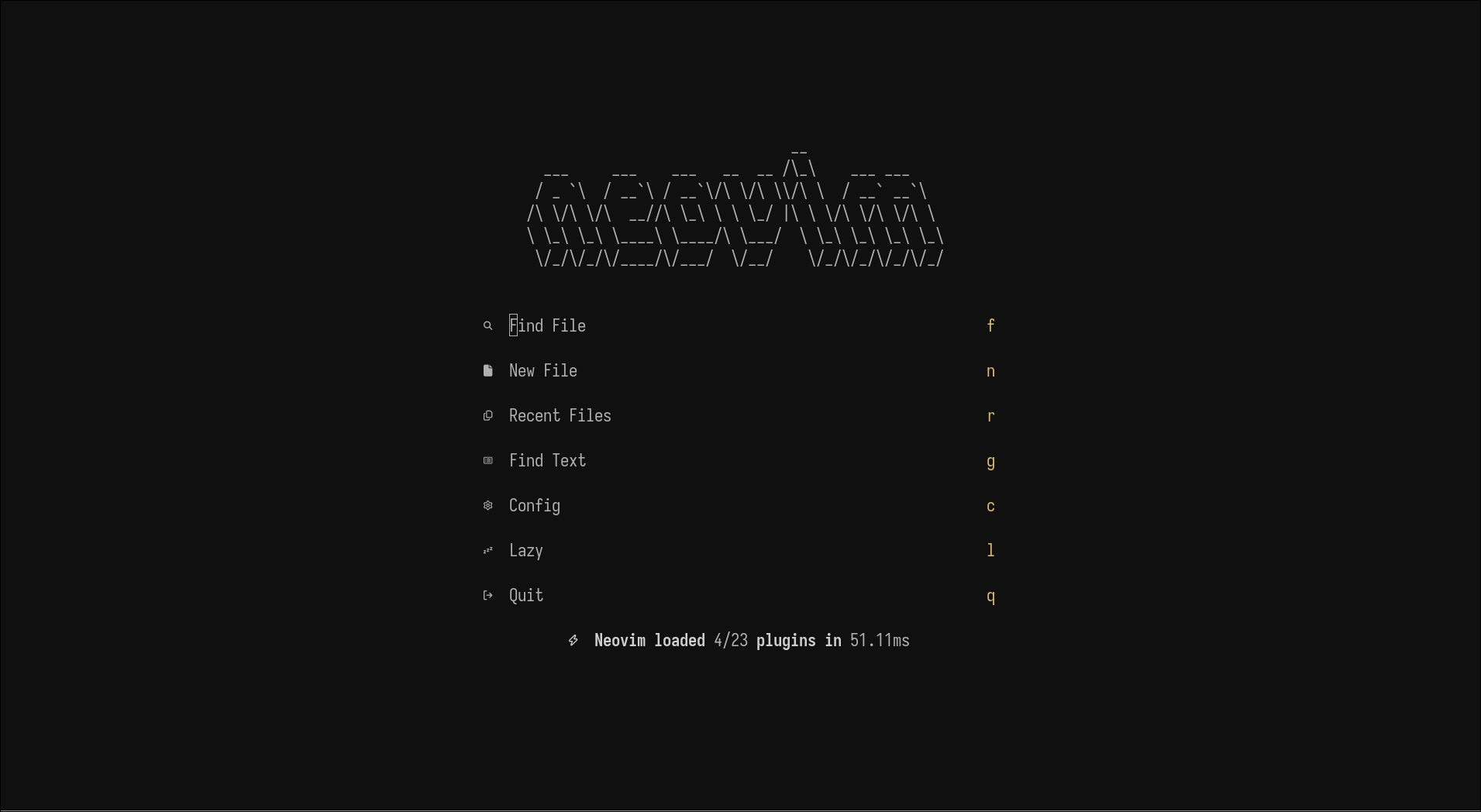
- snacks.nvim — picker, file explorer, lazygit integration, terminal, and dashboard. This is kind of cheating, its a collection of ‘modules’, which improve QOL but I don’t use all of them. I use the picker, which is just superior to
telescope.nvimin terms of speed, the explorer, terminal and lazygit integration. There are quite I few that I don’t use. - blink.cmp — completion.
- nvim-treesitter — syntax-aware highlighting and text objects.
- nvim-lspconfig + mason — LSP setup, with mason installing servers.
- conform.nvim — formatting on save.
- gitsigns — gutter signs and blame.
- mini.ai, mini.pairs, nvim-surround — text objects and pair editing.
- which-key — shows available keymaps after pressing leader.
- koda.nvim — the colorscheme I use.
A few options I think are worth calling out from options.lua:
vim.opt.relativenumber = true        -- jump N lines with NjJ/Nk
vim.opt.clipboard = "unnamedplus"    -- system clipboard, always
vim.opt.undofile = true              -- persistent undo across sessions
vim.opt.cmdheight = 0                -- hide the command line until needed
cmdheight = 0 is one of my favourite small changes. It keeps the command line hidden until I need it. When I type : to enter a command, it will make the status line disappear and show the cmdline instead.